
Browse help sections
Inbox
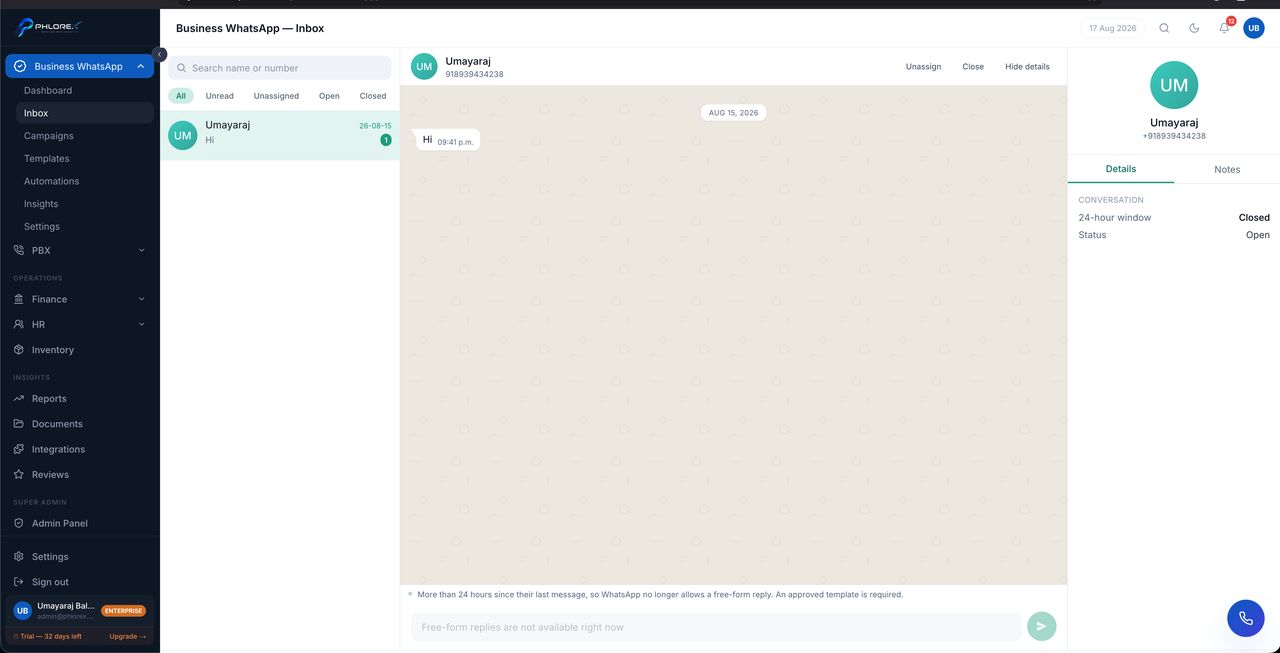
The shared inbox for your official number, with agent assignment.
Business WhatsApp›Inbox
The 24-hour service window
When a customer messages you, a 24-hour window opens during which you can reply freely with anything. Outside it you may only send an approved template. This is Meta's rule, and the inbox shows which state each conversation is in so you are never guessing.
| State | What you can send |
|---|---|
| Window open | Any message |
| Window closed | Approved templates only |
Tip
If a conversation shows the window closed, send a template to reopen it. Once the customer replies you can converse freely for another 24 hours.
Reply to a customer
- Open the conversation.
- Check whether the 24-hour window is open or closed.
- If open, reply with any message.
- If closed, send an approved template to reopen it.
- Assign the conversation to an agent so it is somebody’s job.
Cannot find what you need?
Something not behaving as described here? Tell us and we will fix the page.