
Browse help sections
Settings and connection
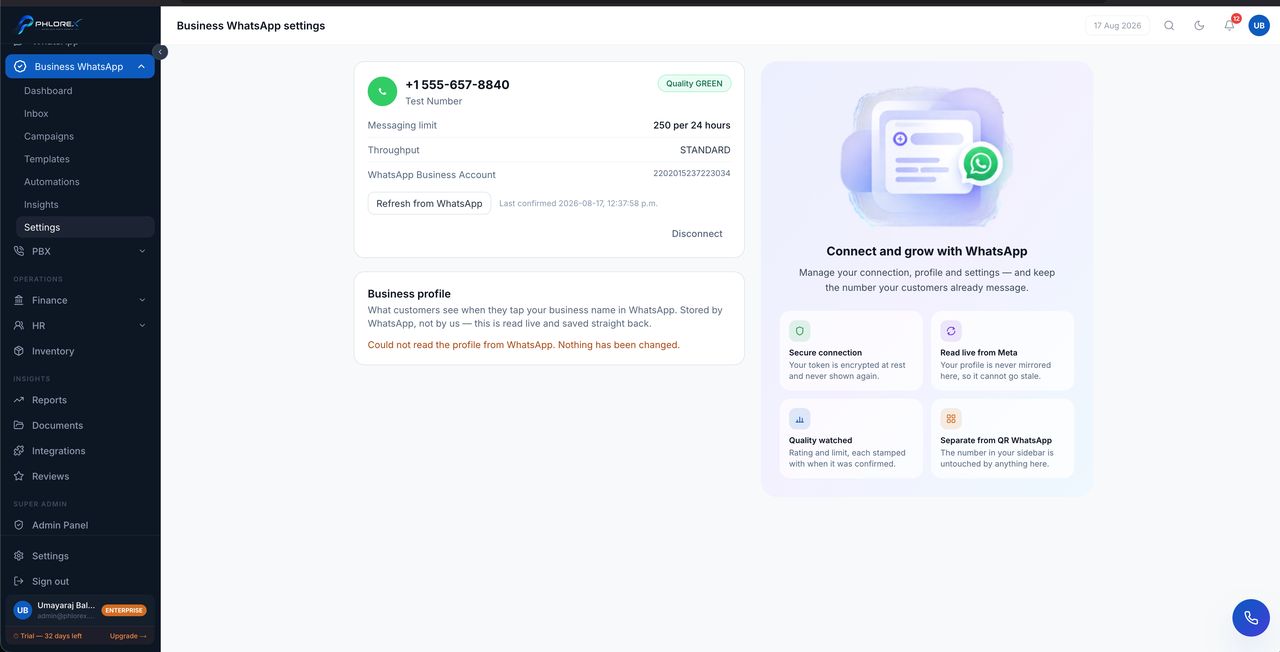
Where your official number is connected, and where you check that it still is.
Business WhatsApp›Settings
- The connected WhatsApp Business Account and phone number.
- Connection and token health.
- Sending configuration for the channel.
To connect for the first time, see Connect WhatsApp Business API.
Take care
Moving a number from the QR connection to the Business API is one-way and destructive — the old chat history on that number does not come across. Decide before you connect, and if in doubt use a different number so you keep both.
Check the connection
- Open Business WhatsApp → Settings.
- Confirm the WhatsApp Business Account and phone number shown are the ones you expect.
- Check connection and token health.
- Reconnect if anything reports an error.
Cannot find what you need?
Something not behaving as described here? Tell us and we will fix the page.