
Browse help sections
Extensions
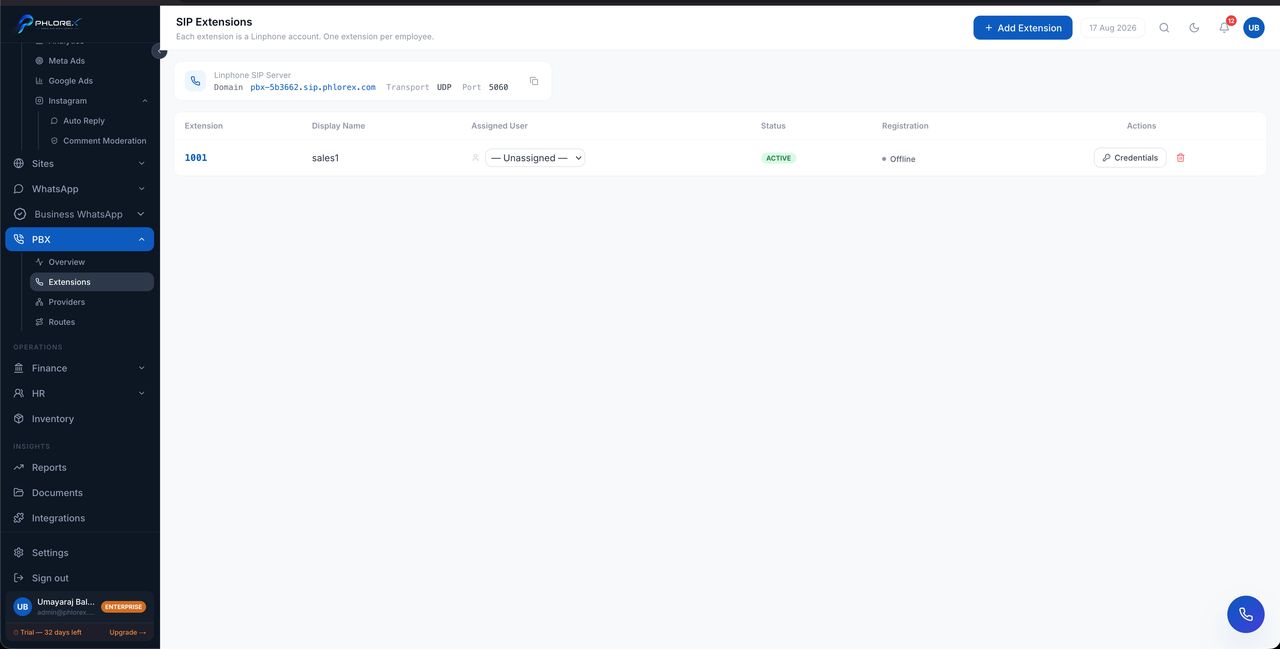
One extension per person who makes or takes calls. Assigning an extension to a user account is what turns on click-to-call and the browser softphone for them.
PBX›Extensions
- Select Add extension.
- Set the extension number.
- Assign it to a user account.
- Save.
The browser softphone
Once assigned, that person can make and take calls from the browser — no desk phone or app. The browser asks for microphone permission the first time; it must be allowed or calls connect with no audio.
Tip
Calls placed through an extension are logged automatically against the prospect. That is the practical reason to use it rather than a personal mobile — the record writes itself.
Cannot find what you need?
Something not behaving as described here? Tell us and we will fix the page.