
Browse help sections
PBX overview
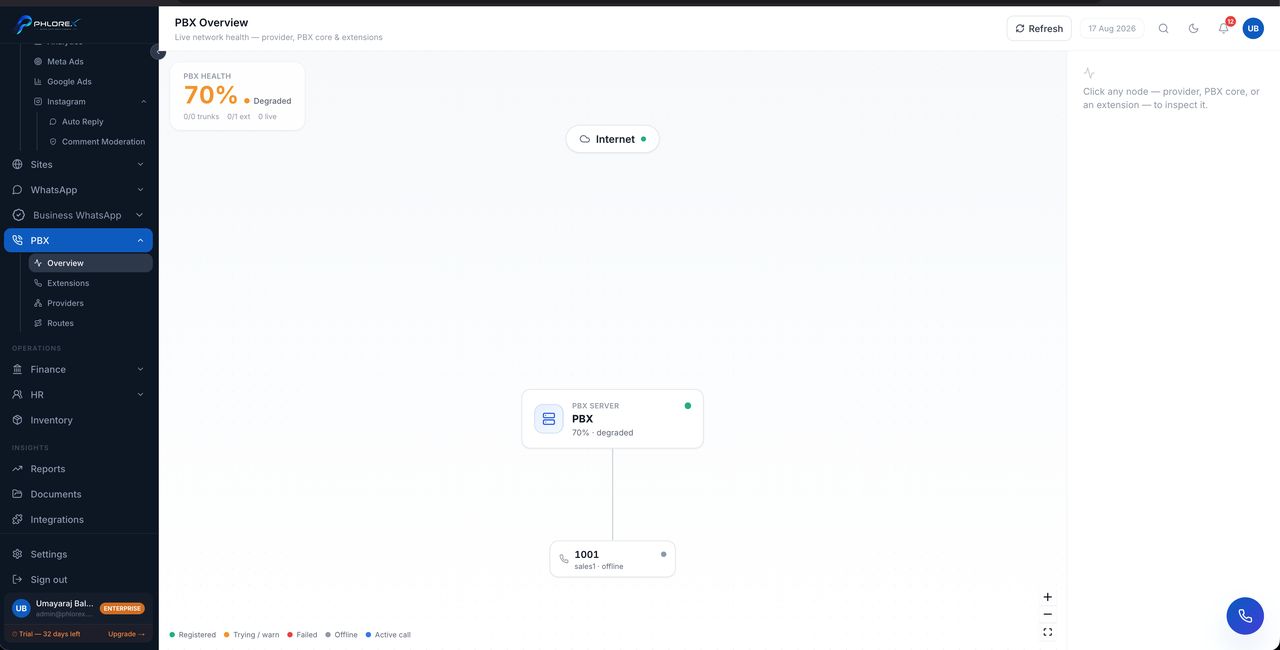
The overview shows how a call actually travels through your system — from the outside line, through your routing, to the person who answers.
PBX›Overview
Use it to confirm the whole chain is in place before you go live. A missing provider, an unassigned extension or an incomplete route all show here.
Take care
An extension shows as registered only when a device is genuinely signed in and its registration is current. Someone who has closed their browser shows as unregistered — which is accurate, because they cannot receive a call.
Tip
Set up in order: providers, then extensions, then routes. Each depends on the one before it.
Confirm the chain before going live
- Open PBX → Overview.
- Confirm your provider is registered.
- Confirm each person’s extension is assigned to their user account.
- Confirm a route exists for every number you publish.
- Call the number from an outside phone and check it rings the right person.
Cannot find what you need?
Something not behaving as described here? Tell us and we will fix the page.