
Browse help sections
Meta Ads
GROWTHRequires the growth plan or above.
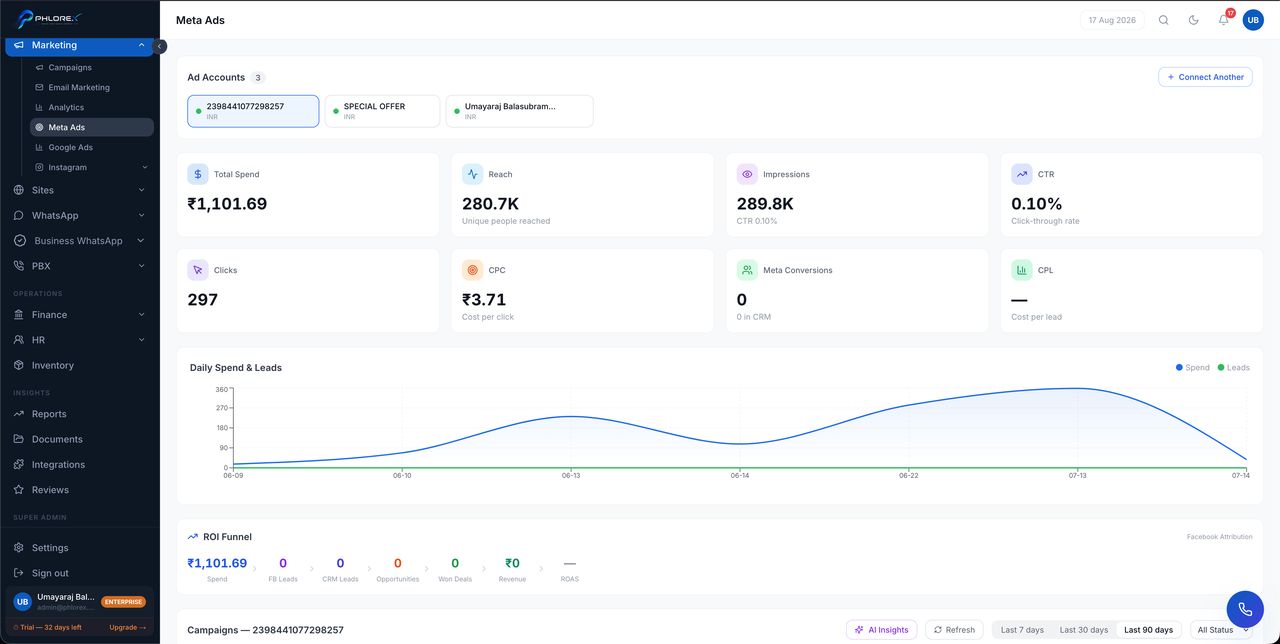
Spend, enquiries, cost per lead and return on ad spend for Facebook and Instagram campaigns, next to the prospects they actually produced.
Marketing›Meta Ads
The overview summarises the account; the campaigns list breaks it down per campaign so you can see which are worth continuing.
- Spend, impressions and clicks by date range.
- Prospects attributed to each campaign.
- Cost per enquiry, and return on ad spend where revenue is recorded.
Tip
Attribution depends on prospects carrying campaign information. Those captured through Facebook Lead Ads carry it automatically; manually typed ones do not and will not appear against a campaign.
To connect an account, see Connect Meta Ads.
Review your ad spend
- Open the overview and set the date range you want to judge.
- Move to the campaigns list to see which campaigns produced the spend.
- Compare cost per enquiry across campaigns, not just total spend.
- Open the prospects a campaign produced and check how many actually converted.
- Pause anything with high spend and no conversions.
Cannot find what you need?
Something not behaving as described here? Tell us and we will fix the page.