
Browse help sections
Bot Reply
PRORequires the pro plan or above.
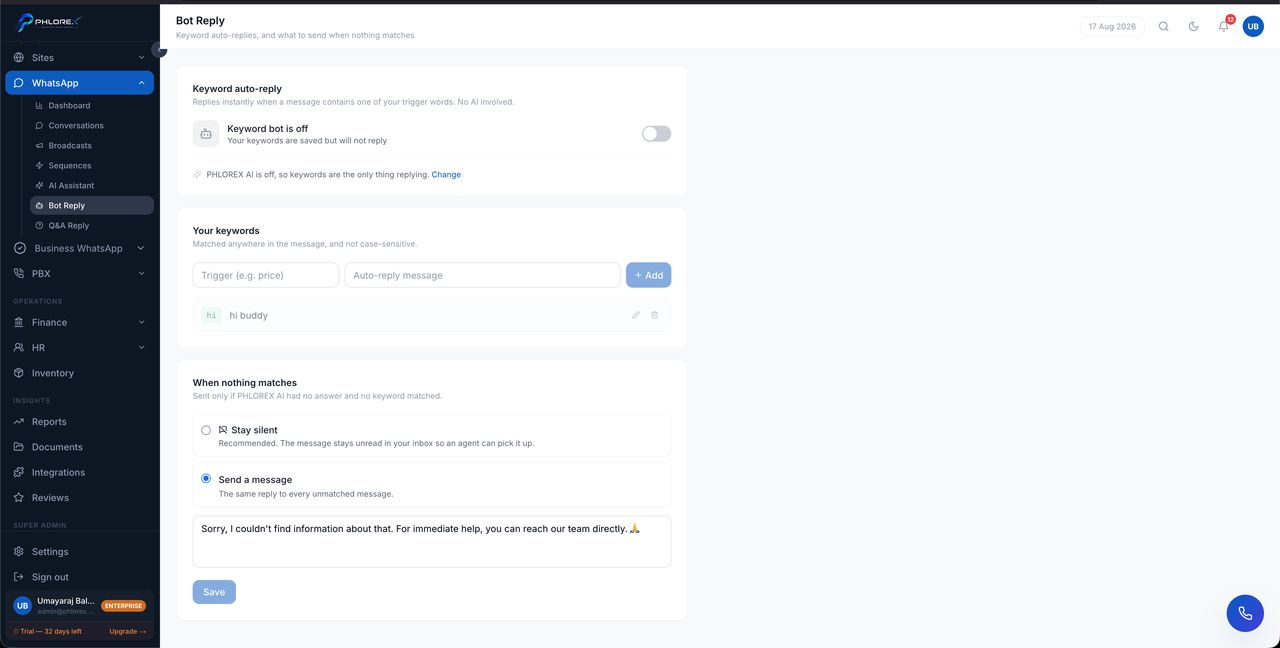
Bot Reply controls the automatic responses your WhatsApp number sends — when they are allowed to fire, and when a human should take over instead.
WhatsApp›Bot Reply
- Turn automatic replying on or off for the whole number.
- Set the hours during which it may reply.
- Decide what happens when a conversation is already assigned to a person.
Take care
An automatic reply arriving in the middle of a live conversation with one of your team reads badly. Configure it to stand down once a human is engaged.
Tip
These settings govern the AI Assistant and Q&A Reply alike — they are the master switch, not a separate bot.
Configure automatic replying
- Open WhatsApp → Bot Reply.
- Turn automatic replying on for the number.
- Set the hours during which it may reply.
- Set it to stand down once a conversation is assigned to a person.
- Save, then message the number yourself to check the behaviour.
Cannot find what you need?
Something not behaving as described here? Tell us and we will fix the page.