
Browse help sections
Conversations
PRORequires the pro plan or above.
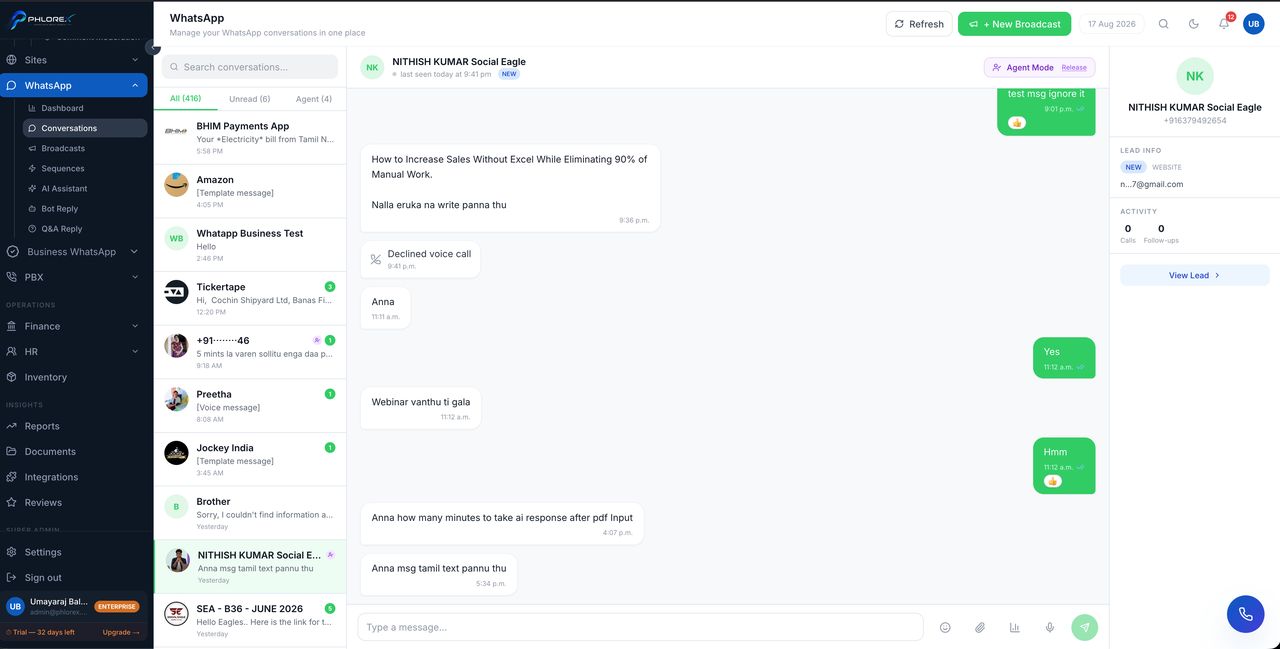
Every WhatsApp conversation in one place, so your team answers from a shared view instead of one person's phone.
WhatsApp›Conversations
- Conversations are newest first, with unread ones marked.
- Open one to see the full history and reply.
- A message from an unknown number creates a prospect automatically.
- Open the linked prospect from the conversation to see everything else about them.
Attach images, documents and voice notes — they arrive in the customer's WhatsApp exactly as if sent from a phone.
Tip
Because it is a shared inbox, check whether a colleague has already replied before you answer. The conversation shows who sent what.
Answer a conversation
- Open the conversation from the list — unread ones are marked.
- Read the history, and check whether a colleague has already replied.
- Reply, attaching an image, document or voice note if it helps.
- Open the linked prospect to see everything else about them.
- Set a follow-up if the conversation needs picking up later.
Cannot find what you need?
Something not behaving as described here? Tell us and we will fix the page.