
Browse help sections
Connect WhatsApp Business API
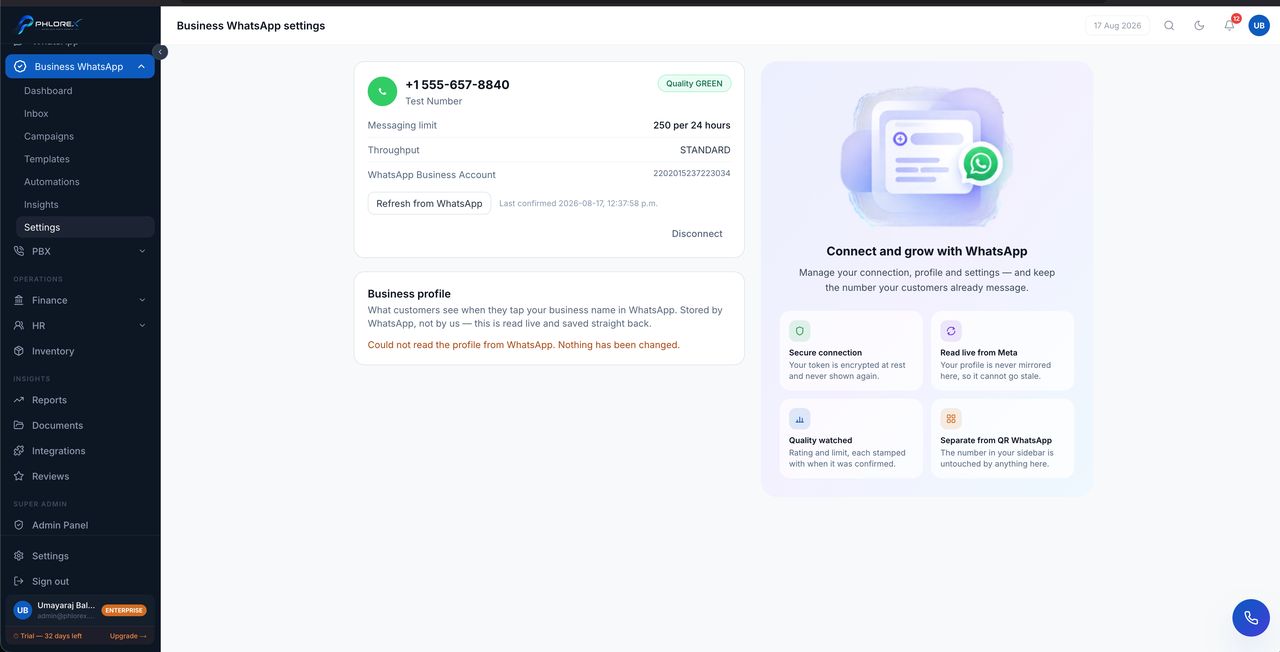
The official Meta Cloud API route — a verified business number, approved templates and high-volume broadcast. You connect by signing in with Facebook; LeadOS handles the technical setup.
Business WhatsApp›Settings
Before you start
- A Facebook Business account you can manage.
- A phone number not currently active on WhatsApp. If it is on the WhatsApp app, delete that account first or use a different number.
- The number must be able to receive an SMS or call.
- Your legal business name and website.
- Select Connect with Facebook. A Meta window opens.
- Sign in with the account that manages your business.
- Choose or create your Business portfolio, then your WhatsApp Business Account.
- Add the phone number and complete the verification code Meta sends.
- Accept the permissions and finish.
If the window closes early
| Step named | What to do |
|---|---|
| Business verification | Complete it in Meta Business Suite, then reconnect |
| Phone number | The number is already on WhatsApp — remove it from the app first |
| Permissions | You declined one LeadOS needs. Reconnect and accept all |
Take care
Moving a number from QR to the Business API is one-way and destructive — old chat history does not come across. Decide before connecting, and if in doubt use a different number so you keep both.
Then create your message templates.
Cannot find what you need?
Something not behaving as described here? Tell us and we will fix the page.