
Browse help sections
Financial reports
GROWTHRequires the growth plan or above.
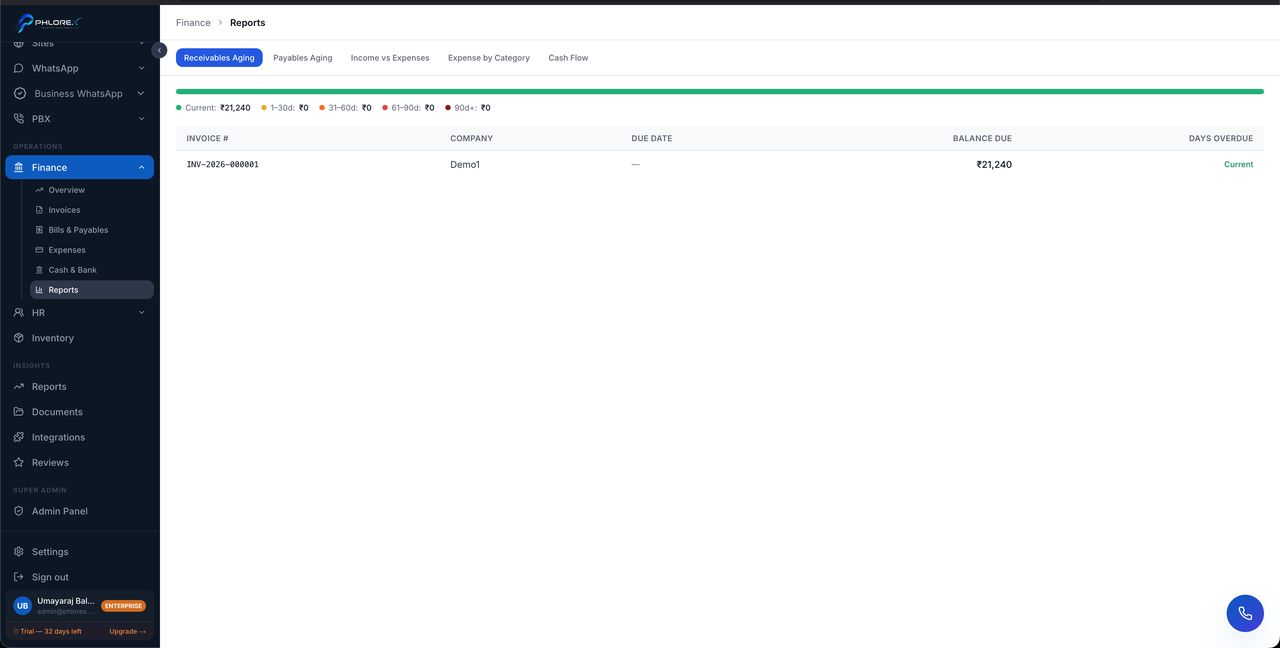
Five reports, each answering a different question.
Operations›Finance›Reports
| Report | The question it answers |
|---|---|
| Cash flow | What came in and went out this period? |
| Income vs expenses | Are we profitable, and is the trend improving? |
| Receivables aging | Who owes us, and how late are they? |
| Payables aging | Who do we owe, and when is it due? |
| Expense by category | Where is our money actually going? |
Working the receivables aging
- Start with the oldest band, not the largest amount.
- Open each invoice and check it was actually delivered and received.
- Contact the customer and log a note.
- Set a follow-up so it is chased again if nothing happens.
Tip
Compare like with like — this month against the same month last year rather than against last month, so seasonality does not read as a trend.
Take care
Reports reflect what has been recorded. Unrecorded payments and uncategorised expenses make them wrong in ways that still look plausible, which is the dangerous kind of wrong.
Cannot find what you need?
Something not behaving as described here? Tell us and we will fix the page.