
Browse help sections
Plan and billing
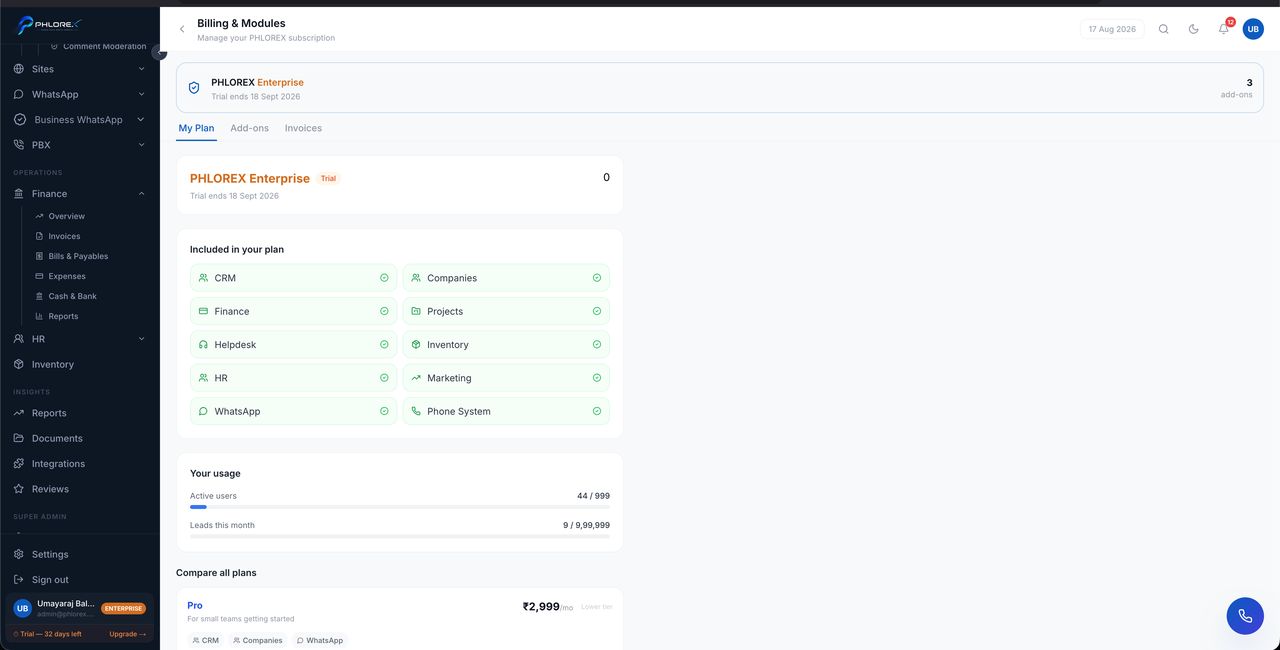
Your plan, what it includes, and what it costs.
Settings›Billing
- The current plan and the modules it covers.
- Subscription status and renewal date.
- Trial status and how long is left.
- Invoices for your own subscription.
Upgrading
Upgrading takes effect immediately — newly included modules appear in the sidebar for everyone whose role allows them, and a page refresh is enough to see them.
Tip
Modules can come from your plan, a purchased add-on, an industry pack or a trial. The source is shown against each one, which is how you tell a trial from something you own.
Take care
Watch the trial countdown in the sidebar footer. When a trial ends, modules that were only granted by the trial stop being available — so decide before the last day rather than on it.
Review or change your plan
- Open Settings → Billing.
- Check your current plan and which modules it covers.
- Check the renewal date, or how many days of trial remain.
- Select the plan you want and confirm.
- Refresh — newly included sections appear in the sidebar immediately.
Cannot find what you need?
Something not behaving as described here? Tell us and we will fix the page.