
Browse help sections
Roles and permissions
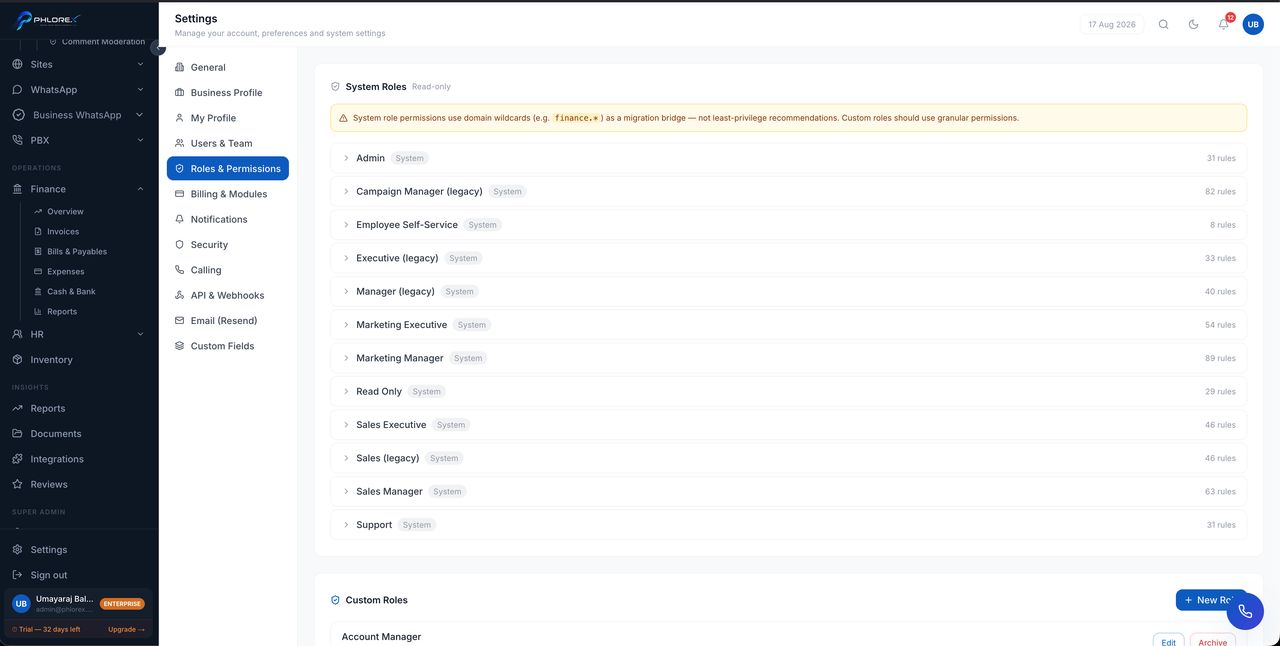
A role is a set of permissions. Giving someone a role decides which sections they see and which actions they can take.
How access is decided
Two independent things must both allow an action: your plan must include the module, and your role must permit the action. A section missing from someone's sidebar is one or the other.
- Select New role and name it after the job, not the person.
- Choose the permissions it grants, module by module.
- Save, then assign it in Users & Team.
Separating sensitive actions
Some permissions are deliberately separate so they can be held by fewer people — voiding an invoice is separate from creating one, and deleting a payment is separate from recording one.
Review who holds administrative roles periodically. Access accumulates quietly as people change jobs, and nobody notices until it matters.
Give the narrowest role that lets someone do their job. Widening it later takes seconds; discovering it was too wide takes an incident.
Cannot find what you need?
Something not behaving as described here? Tell us and we will fix the page.