
Browse help sections
Business profile
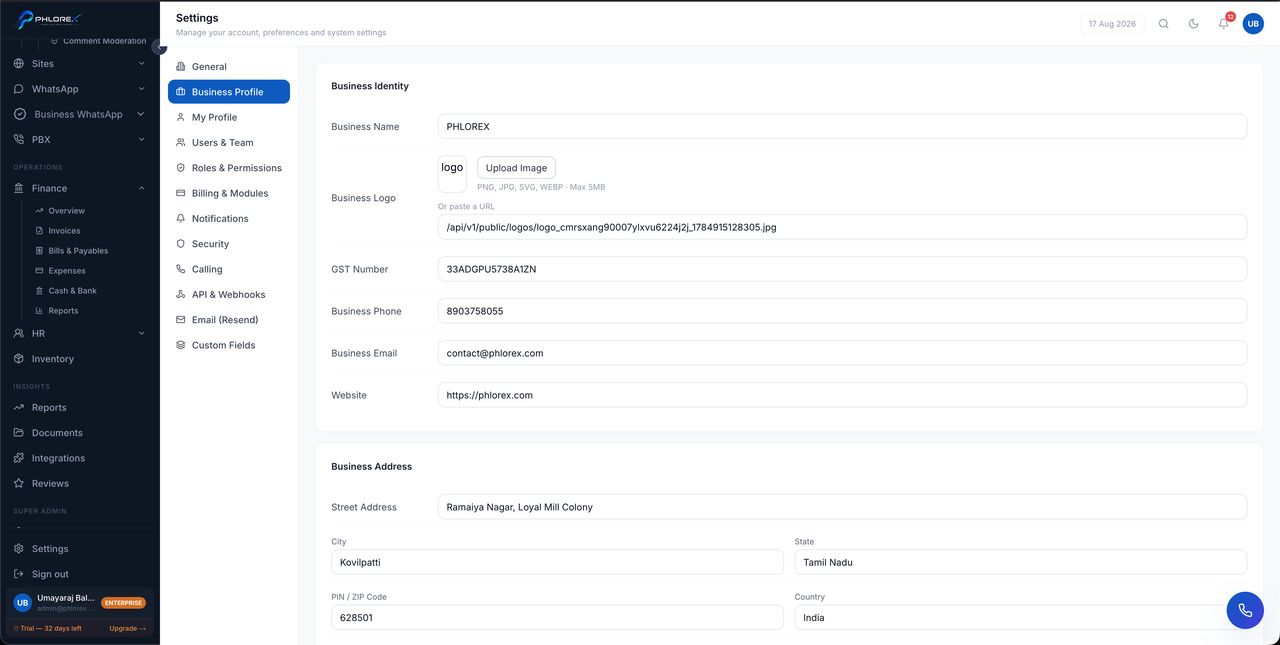
The details that appear on documents your customers actually see.
Settings›Business Profile
- Legal business name and trading name.
- Registered address.
- Tax registration numbers.
- Contact phone and email.
- Logo.
These flow onto every quotation, invoice and customer-facing page.
Important
Check this before your first invoice. Reissuing invoices because a tax number was wrong is avoidable work, and it is the kind of error customers notice.
Complete your business details
- Open Settings → Business Profile.
- Enter your legal and trading names.
- Enter your registered address and tax registration numbers.
- Add your contact phone and email.
- Upload your logo.
- Save, then preview an invoice PDF to confirm everything appears correctly.
Cannot find what you need?
Something not behaving as described here? Tell us and we will fix the page.