
Browse help sections
Notifications
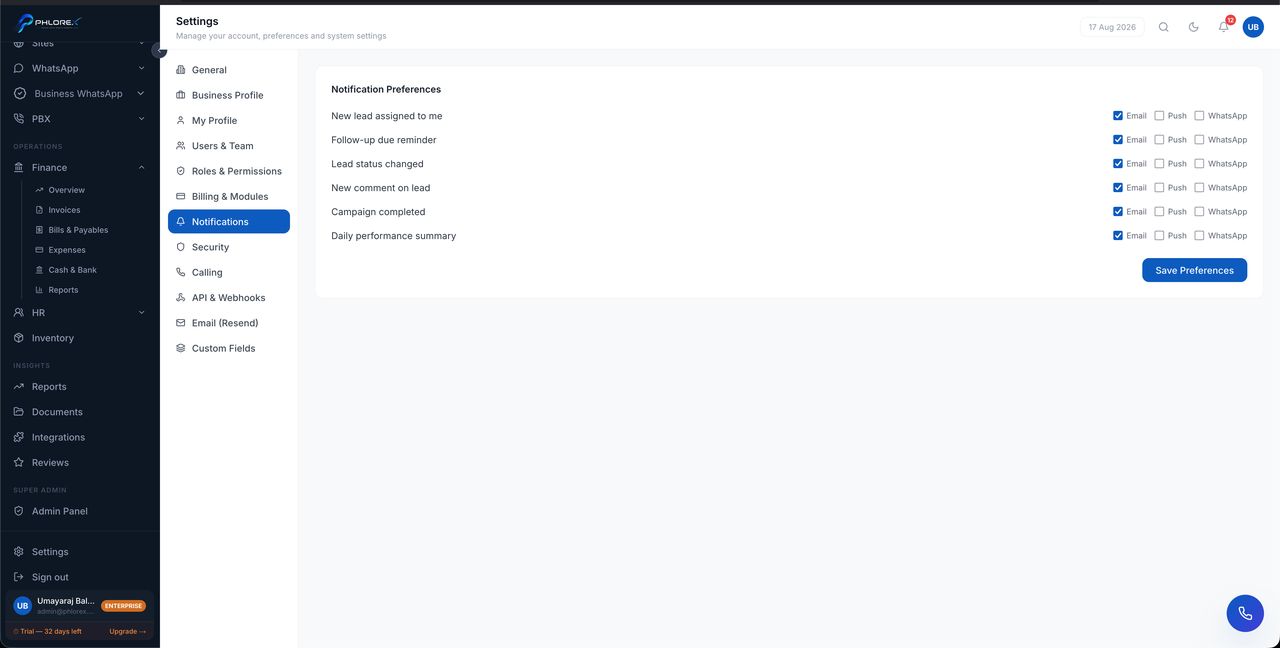
Control what LeadOS tells you about, so the important things are not buried under the routine ones.
Settings›Notifications
- New enquiries assigned to you.
- Follow-ups falling due.
- Messages arriving in a shared inbox.
- Mentions and assignments.
Tip
Turn off anything you never act on. Notifications you ignore train you to ignore all of them, including the ones that mattered.
Tune your notifications
- Open Settings → Notifications.
- Turn on new enquiries assigned to you, and follow-ups falling due.
- Turn off anything you have never acted on.
- Save.
Cannot find what you need?
Something not behaving as described here? Tell us and we will fix the page.