
Browse help sections
General settings
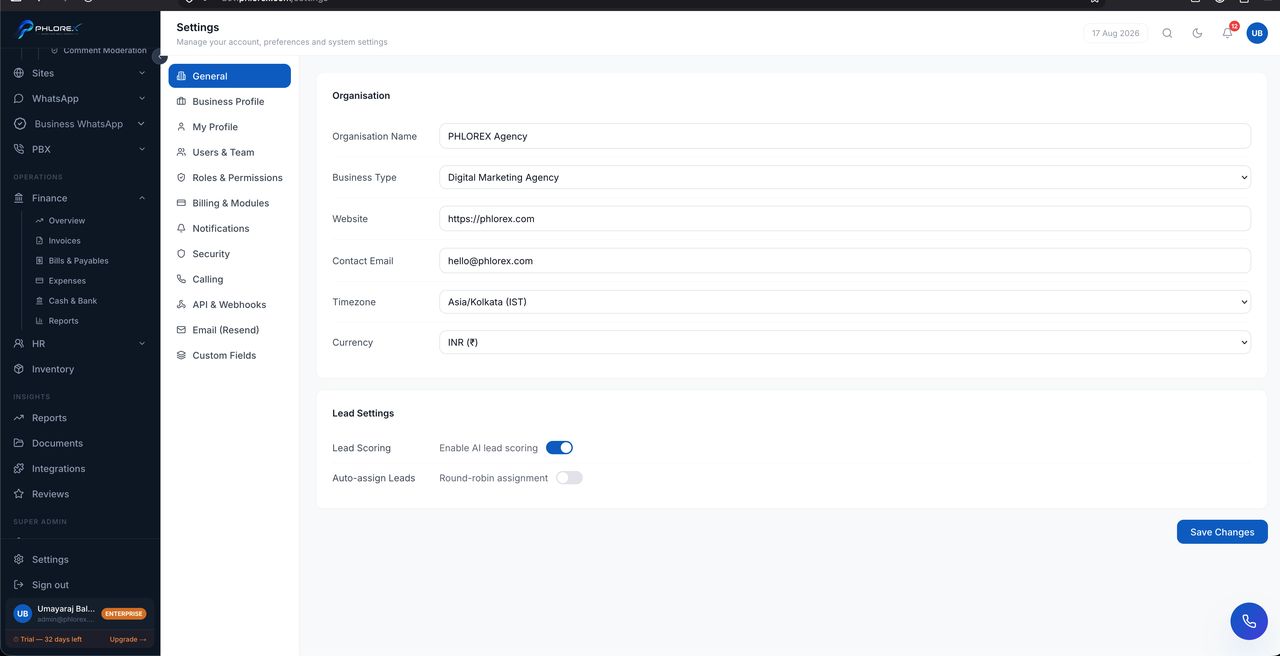
The workspace basics — name, timezone, currency and formats. These affect every screen and every document.
Settings›General
Take care
Set the timezone and currency before doing anything else. They appear on quotations and invoices, and changing them later does not retroactively fix documents already issued.
Tip
Settings is organised as tabs, and which you see depends on your role. Most people see only their own profile and notifications.
Set up your workspace
- Open Settings → General.
- Set the workspace name.
- Set your timezone — every date and reminder depends on it.
- Set your currency and number formats.
- Save, then check a quotation preview to confirm it looks right.
Cannot find what you need?
Something not behaving as described here? Tell us and we will fix the page.