
Browse help sections
Branding
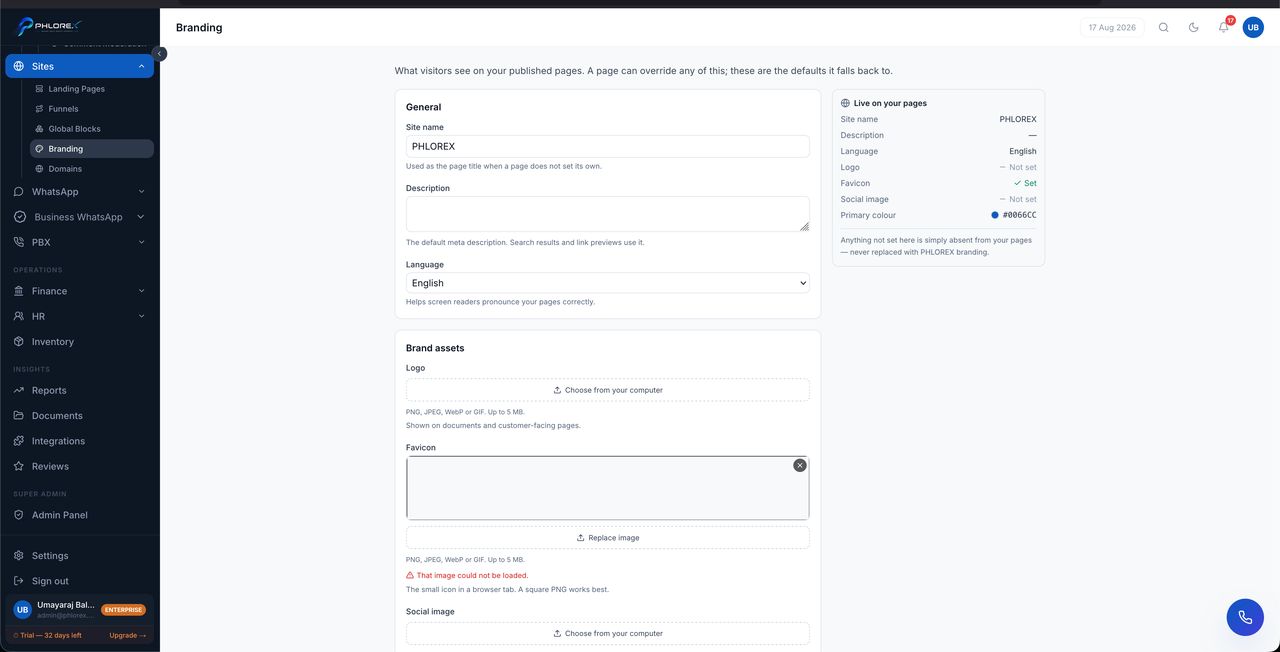
Set the logo, colours and fonts your published pages use, so everything you put out looks like it came from the same business.
Sites›Branding
- Upload your logo.
- Set your primary and secondary colours.
- Choose fonts for headings and body text.
- Save.
New pages pick these up automatically. Changing them updates pages using the brand defaults, but not blocks where someone overrode a colour or font on that page specifically.
Important
Check your colours for contrast. Pale text on a pale background looks refined on a designer's monitor and is unreadable on a phone in daylight — which is where most visitors are.
Cannot find what you need?
Something not behaving as described here? Tell us and we will fix the page.