
Browse help sections
Create a page
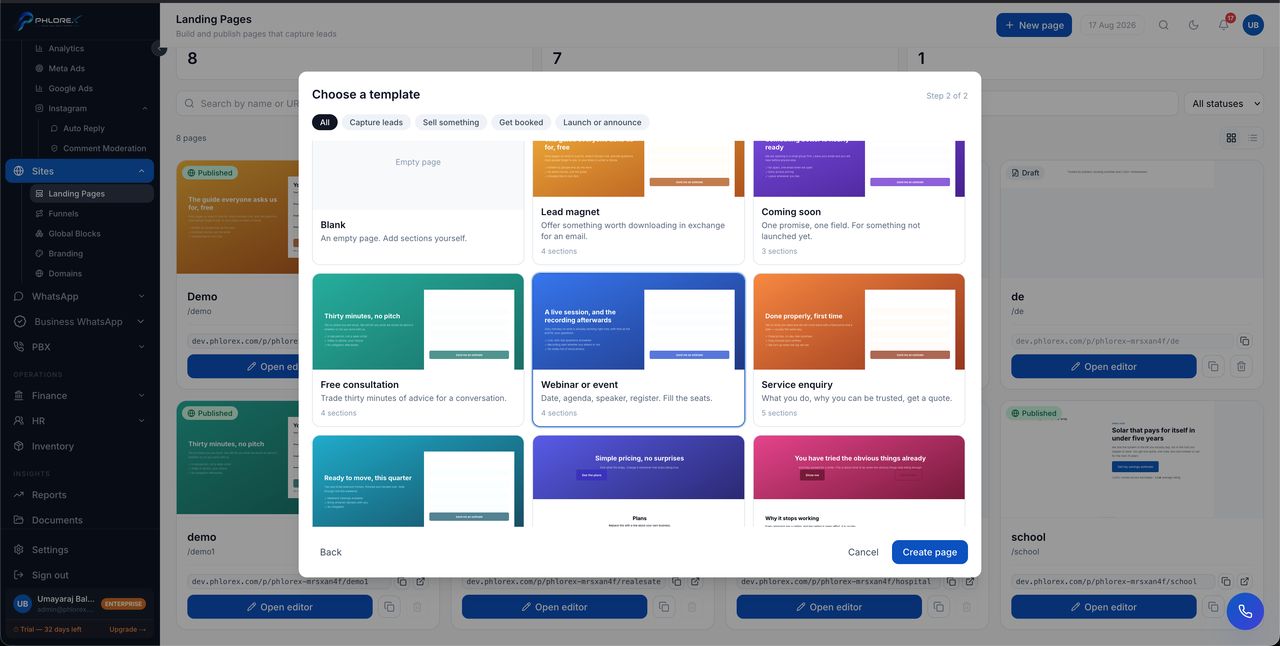
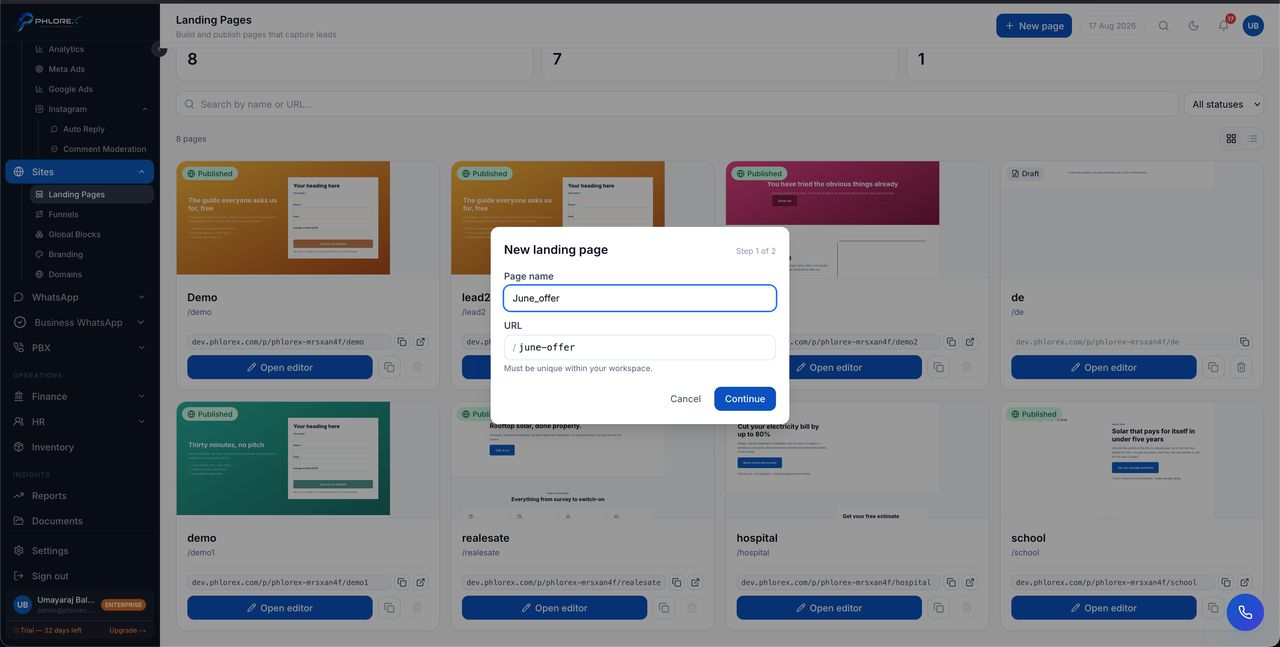
New pages are created in two steps: name and address first, then a template to start from.
Step 1 — name and address
- Select New page.
- Enter a Page name — this labels the card in your list, not anything visitors see.
- Set the URL. This is the address the page lives at, so keep it short and readable.
- Select Continue.
Tip
The URL must be unique within your workspace. Choose something that still makes sense next year — /site-visit outlives /offer-2.
Step 2 — choose a template
Templates are grouped by the job you want the page to do — Capture leads, Sell something, Get booked, Launch or announce — or browse them all.
| Template | Use it for |
|---|---|
| Blank | An empty page you build yourself |
| Lead magnet | Something worth downloading in exchange for an email |
| Coming soon | One promise, one field — for something not launched yet |
| Free consultation | Trading advice for a conversation |
| Webinar or event | Date, agenda, speaker, register |
| Service enquiry | What you do, why you can be trusted, get a quote |
Each template says how many sections it contains. Choose one and select Create page — you land straight in the builder.
Tip
Start from the template closest to your goal even if the wording is wrong. Rewriting text is far faster than assembling a page section by section.
Cannot find what you need?
Something not behaving as described here? Tell us and we will fix the page.