
Browse help sections
Tracking pixels and integrations
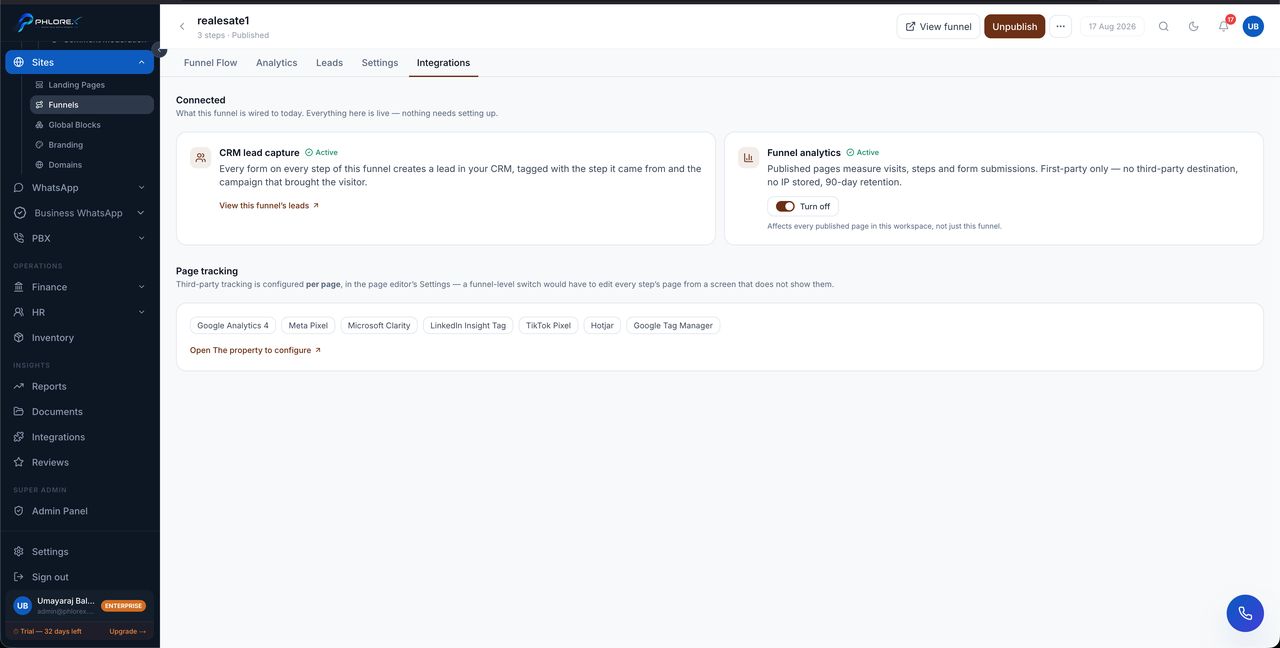
A funnel can report back to the advertising platforms sending it traffic, so those platforms can optimise on real conversions rather than clicks.
- Open the funnel and go to Integrations.
- Add the tracking pixel for each platform you advertise on.
- Paste the pixel or measurement ID from that platform.
- Save, then confirm it fires by loading the live funnel.
Why it is worth doing
Without a pixel, an ad platform knows only that someone clicked. With one, it knows who actually submitted the form — which is what its optimisation actually needs to find more people like them.
Take care
A tracking pixel sends visitor data to a third party. Make sure your privacy policy says so, and that whatever consent your market requires is in place before you enable one.
Tip
Add the pixel before you start spending, not after. A platform cannot optimise retrospectively on conversions it never saw.
Cannot find what you need?
Something not behaving as described here? Tell us and we will fix the page.