
Browse help sections
Follow-ups
PRORequires the pro plan or above.
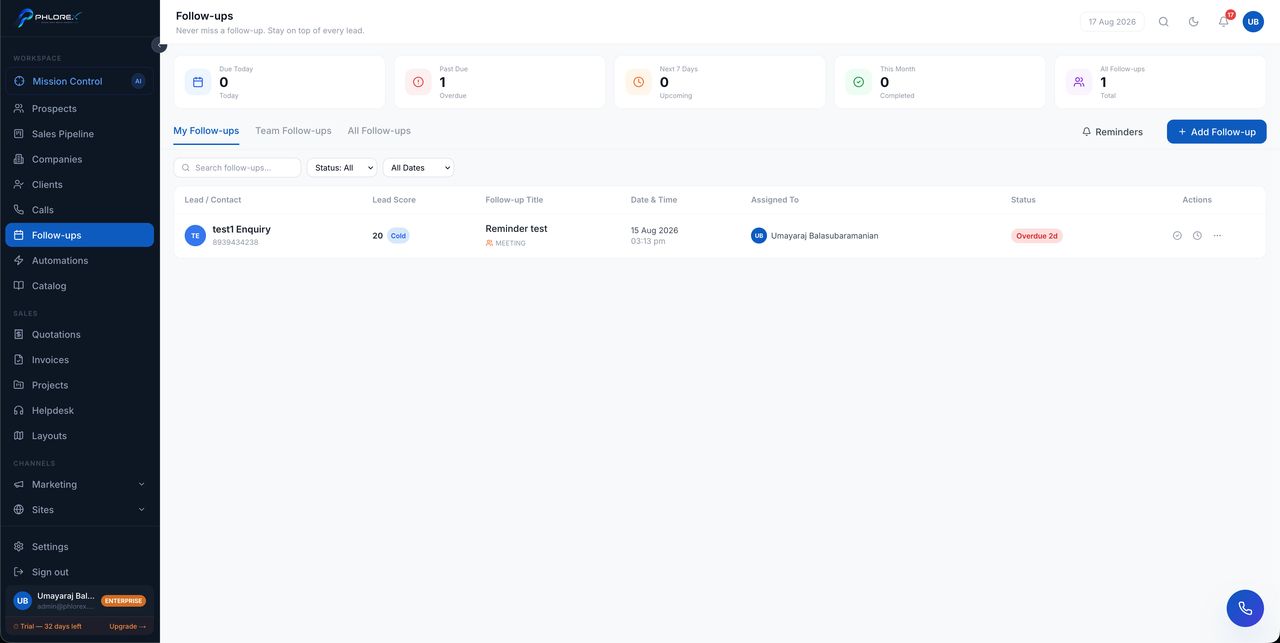
Every scheduled next contact across every prospect, in one list. Most deals are lost to silence rather than rejection, and this is the screen that prevents it.
Workspace›Follow-ups
- Open the prospect.
- Select Set follow-up.
- Pick the date and time, and write what you intend to do.
- Save.
Follow-ups are grouped as overdue, today and upcoming. Work overdue first, and mark each complete as you do it or reschedule it with a reason.
Tip
Write the intent, not the activity — "send revised quote for Block B" gets done; "follow up" gets postponed, because your future self has to reconstruct what it was for.
Cannot find what you need?
Something not behaving as described here? Tell us and we will fix the page.