
Browse help sections
Mission Control
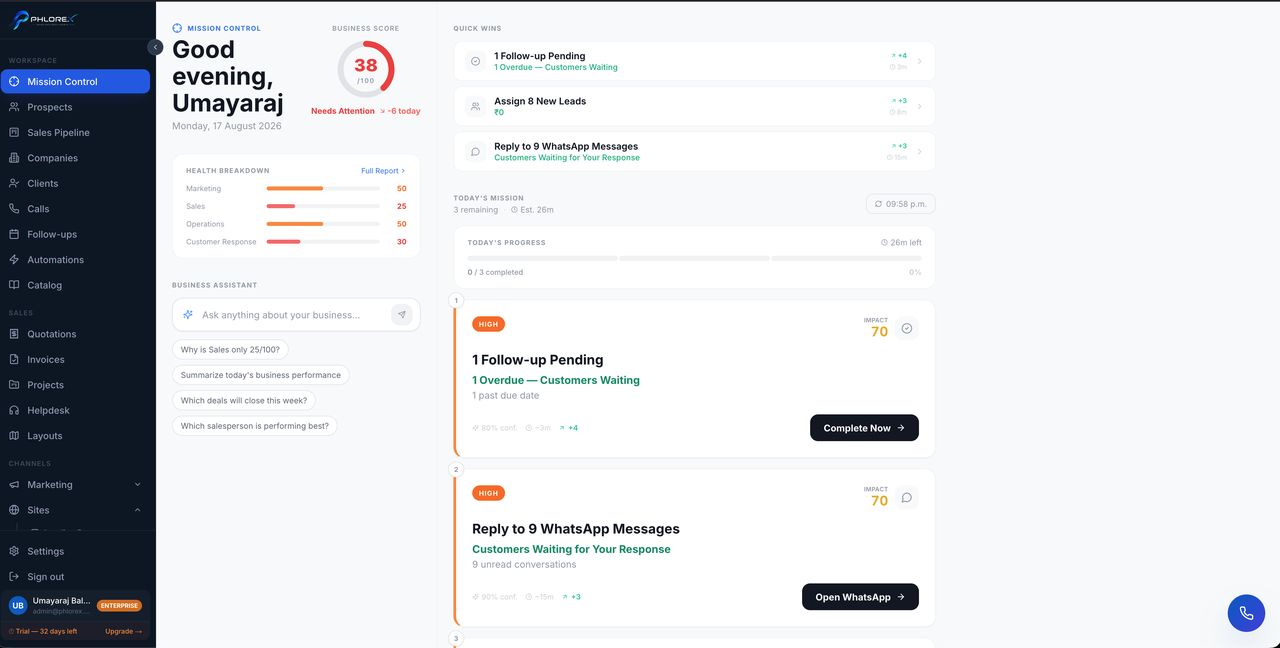
Mission Control answers "what should I do next?" rather than "how are we doing?". It is an action list, not a report, and it is where most people start the day.
Workspace›Mission Control
- Ranked priorities for today.
- Overdue items needing attention now.
- Progress through the day's work.
Tip
Work it top to bottom. The ranking exists so you do not have to decide what matters first each morning.
For period reporting rather than today's actions, use Reports.
Work it, top to bottom
- Open Mission Control first thing.
- Clear anything marked overdue before starting new work.
- Work down the ranked list in order.
- Re-check it after lunch — new enquiries will have moved the ranking.
Cannot find what you need?
Something not behaving as described here? Tell us and we will fix the page.